
Versatile path Launched New App for work flow TaskOrbit

From Zero → Pro: Manage tasks, checklists, earnings and productivity — all in one crystal-clear TaskOrbit app.
TaskOrbit is a free, mobile-first task & checklist manager with instant analytics, profit/loss tracking and lightweight AI help — built to get work done faster. Install as a PWA on your phone or open it in your browser. No signup friction. No paid walls.
Open TaskOrbit — Free Now
Task Orbit keeps your day focused. Create tasks, build checklists, track earnings, and instantly see how productive you are — with clear charts and helpful AI suggestions that run locally (no external AI keys). Lightweight, offline-friendly, and perfect for freelancers, small teams and busy creators.
Key Benefits TaskOrbit (three columns / icons)
- Fast Tasking — Add & edit tasks in seconds. Inline editing and checklist inside each task.
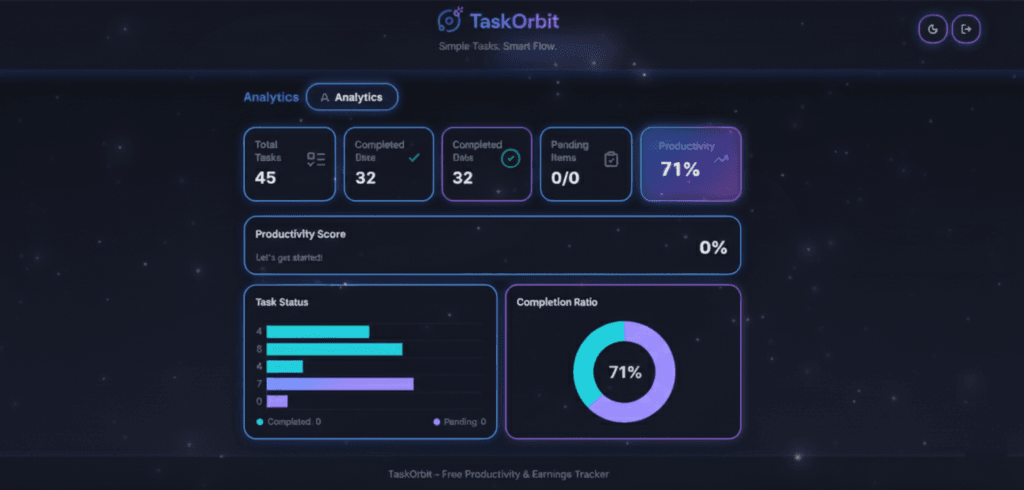
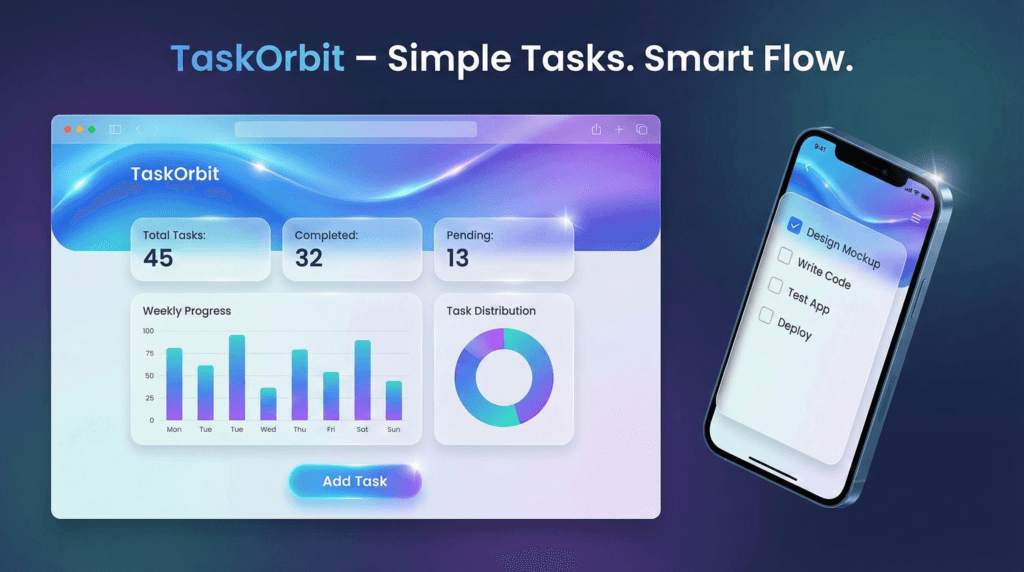
- Actionable Analytics — Auto-updating charts (bar, doughnut, progress) show completion rates and productivity score.
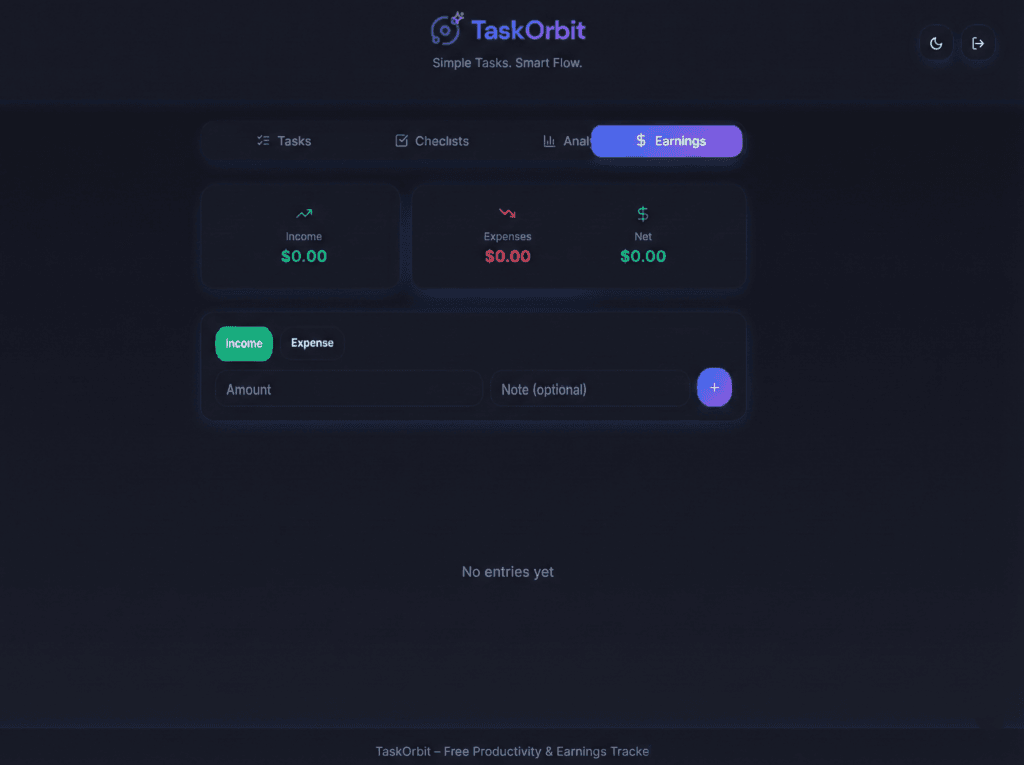
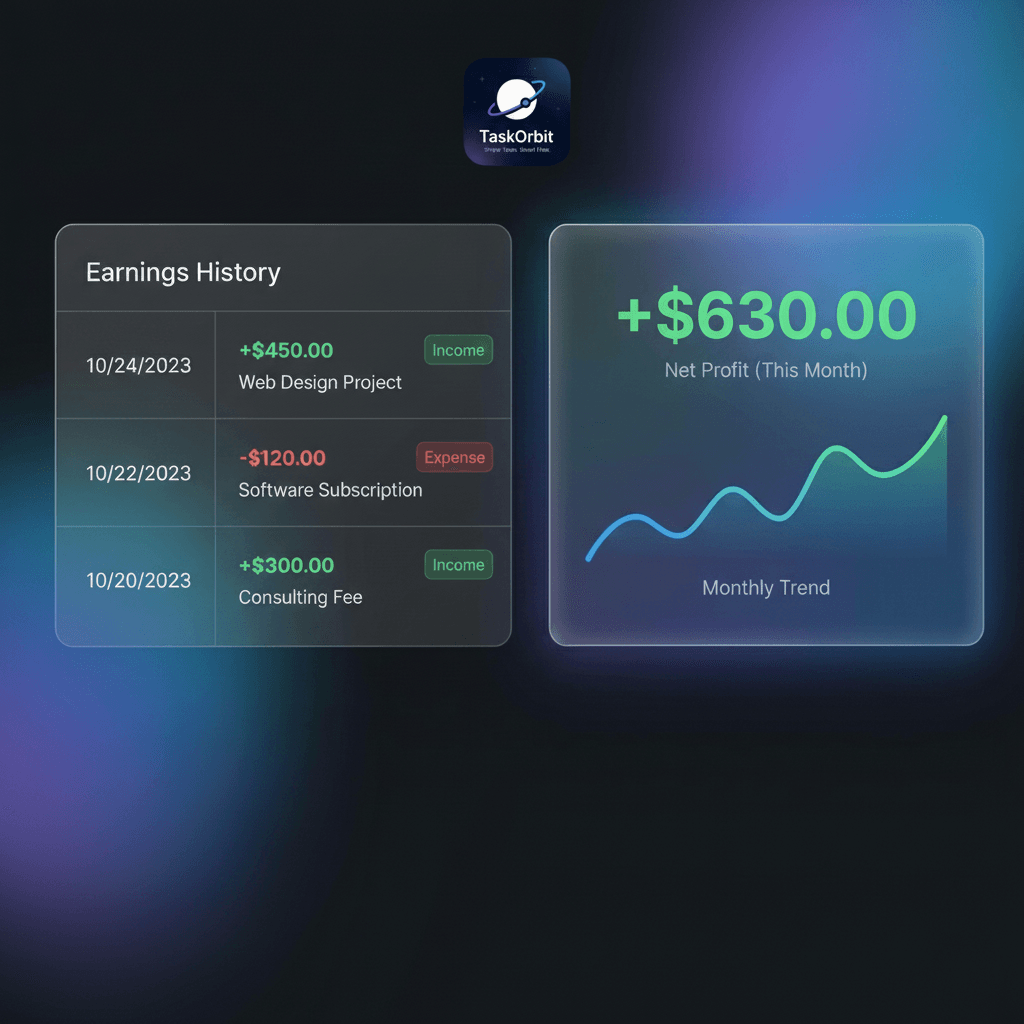
- Earnings Tab — Simple income/expense entries with instant profit/loss and monthly summary.
- Light AI Help — Local rule-based assistant suggests better titles, breaks tasks into sub-steps, and offers prioritization tips.
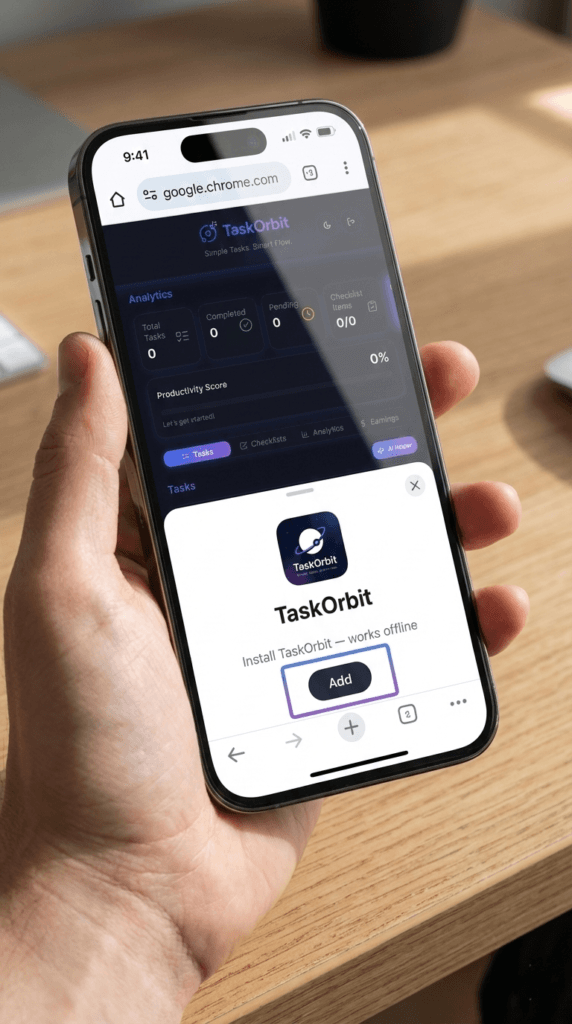
- PWA & Offline — Add to Home Screen on Android; works offline via service worker and localStorage.
- Free & Upgrade-Ready — Core features free. Clean architecture to add premium AI and integrations later.
TaskOrbit Features (expandable sections or cards)
- Task Manager
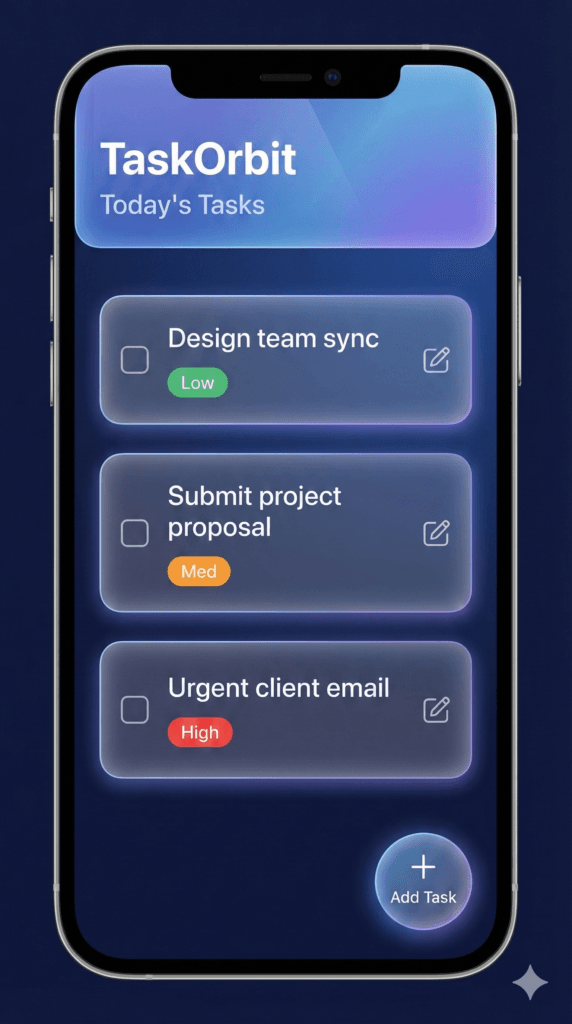
- Title, optional description, due date, priority (Low/Medium/High).
- Inline edit, quick complete, delete.
- Example: “Write YouTube script — break into: research → draft → edit → upload.”
- Checklists
- Multiple checklists per task or standalone checklists.
- Add/edit/delete items; progress per checklist auto-calculated.
- Example: Grocery checklist, Project sprint checklist.
- Analytics Dashboard
- Metrics: Total tasks, Completed, Pending, Completion %, Productivity Score.
- Visuals: Bar chart (Completed vs Pending), Doughnut chart (completion ratio), Line chart for trends (basic), and progress bars.
- Example: “This week: 24 tasks created, 18 completed — 75% productivity.”
- Earnings (Profit / Loss)
- Add incomes and expenses (amount + note).
- Auto totals: Income, Expenses, Net Profit/Loss.
- Monthly summary chart and color cues: green for profit, red for loss.
- Example: “Freelance: +$1,200 ; Hosting: -$10 → Net +$1,190.”
- AI Assistance (Local & Lightweight)
- Suggest improved task titles.
- Break tasks into subtasks using templates (Meeting → Agenda, Notes, Follow-ups).
- Offer tips when pending tasks > 5 (e.g., “Use Pomodoro: 25/5”).
- No external AI keys required.
- Crystal UI & PWA
- Modern glassmorphism UI with dynamic crystal gradients and soft glows.
- Installable PWA, responsive for mobile & desktop.
From Zero → Pro (Step-by-step guide section)
Zero — Quick Start (0–10 minutes)
- Open
https://versatilepath.com/taskorbit→ Click “Get Started”. - Add your first task: title + one checklist. Mark a few items complete.
Basic — Build Habits (Days 1–7)
- Create categories or priorities. Use checklists inside tasks.
- Open Analytics daily — review completion % and adjust workload.
Pro — Workflows & Earnings (Weeks 2+)
- Track all freelance income/expenses in the Earnings tab.
- Use AI suggestions to break large tasks into sub-tasks and set realistic due dates.
- Export weekly snapshot (CSV when available in future upgrade).
Example Use Cases (short bullets)
- Freelancers tracking projects + money.
- Travel bloggers building video scripts + checking production tasks.
- Small stores logging daily sales & expenses.
- Students organizing study checklists and measuring productivity.
Onboarding copy (first-time user modal)
Welcome to TaskOrbit
- Create your first task → Tap “Add Task”
- Add a checklist inside the task → Tap checklist icon
- Visit Analytics → See live progress and completion rate
- Earnings → Add a sample income: +100 and an expense: -10 to see Profit/Loss
Button: Start now
Q: Is Task Orbit free?
A: Yes — core features are free. Premium analytics and AI automation can be added later.
Q: Are my earnings data secure?
A: Right now data is saved in localStorage on your device. For cloud sync / backups we plan optional safe options later.